Work
AI demo that failed in production
Professional services firm
A professional services firm's AI document workflow worked in demos but failed on real data — rebuilt for auditability. Anonymized case study.
Problem
The team had an AI tool that classified incoming documents. In demos, it looked impressive. In real use, it mislabeled files, skipped edge cases, and gave staff no clear way to understand why something had been classified a certain way.
Because the output was unreliable, staff re-checked everything manually. The automation existed, but nobody trusted it enough to depend on it.
By the time we talked, the tool had been “live” for about six months. The subscription was being paid, the workflow diagram said automated, and a person was still reviewing every single document — now with an extra step, because they had to undo the AI’s wrong labels first.
Business impact
- Staff spent time checking AI output instead of doing the actual work
- Mistakes were hard to trace because inputs and outputs were not logged clearly
- Leadership could not tell whether the tool was improving or creating hidden risk
- The team became skeptical of future automation projects
- A workflow that was supposed to save time added another review burden
This is common with AI projects — common enough that I’ve written about why AI automation projects fail. The model demo is not the hard part. The hard part is making the workflow safe enough for messy, real business data.
What was broken
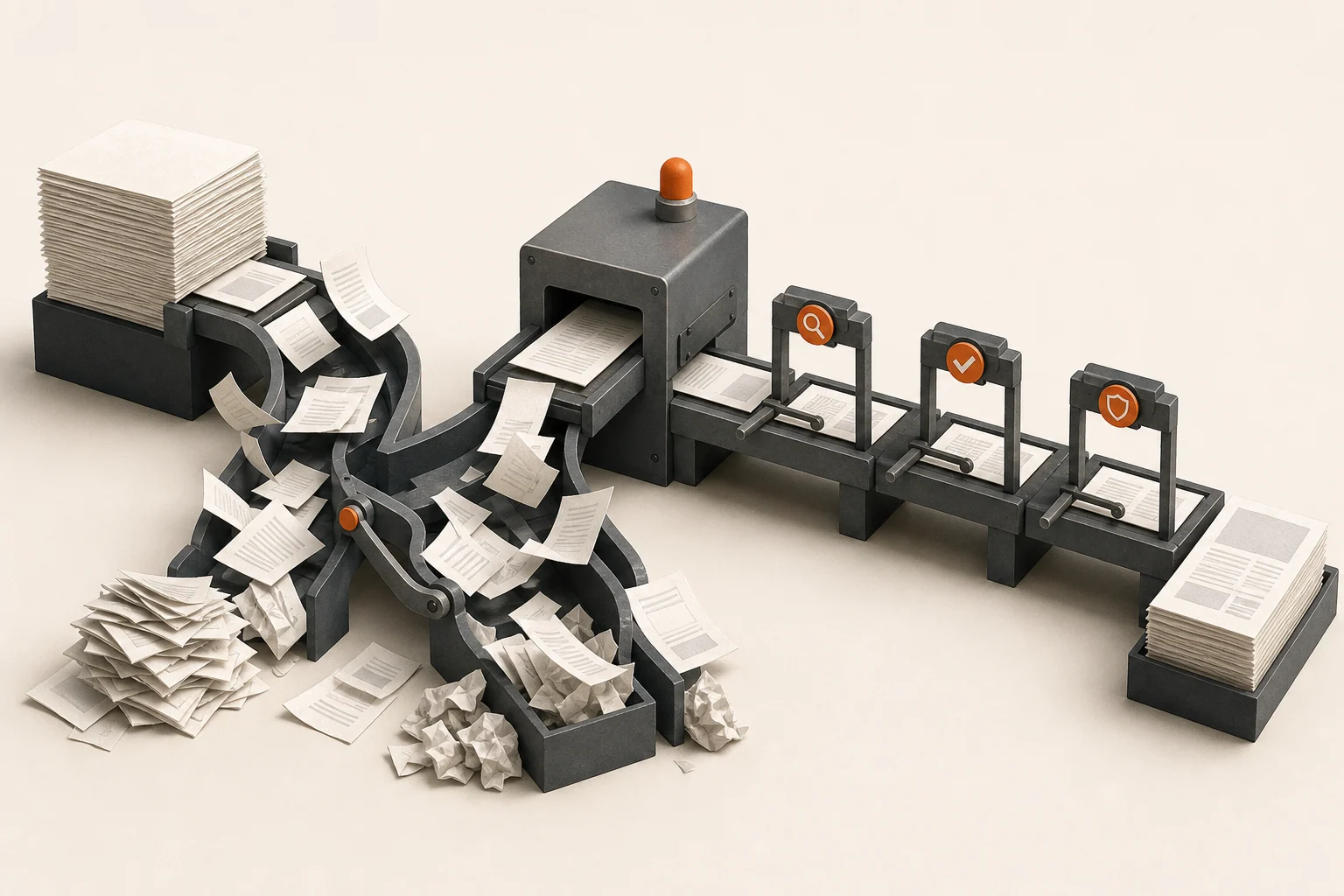
The AI step had been treated like a magic middle box. Documents went in, labels came out, and the surrounding process did not do enough to validate inputs, flag uncertainty, or give staff a review path.
Several real-world cases were missing from the demo: incomplete documents, inconsistent naming, duplicate files, scanned text with errors, and documents that belonged in more than one category. When those appeared, the workflow failed silently or created output that looked confident but was wrong.
The tool also lacked an audit trail. If someone asked “why did it label this that way?”, there was no simple answer. For a professional services firm, that’s not a nice-to-have — when a client document ends up in the wrong place, “we don’t know why” is not an acceptable answer.
Notably, the model itself was fine. Tested against clean inputs, its accuracy was good. The failure lived entirely in the workflow around it.
What changed
- Mapped the real document types and edge cases staff handled every week
- Added input checks before the AI step ran
- Created a human review path for low-confidence or ambiguous outputs
- Logged key inputs, outputs, and decisions so mistakes could be traced
- Simplified the workflow so fewer moving parts could fail
- Added a feedback loop for recurring misclassifications
- Documented when the tool should assist and when a person should decide
The goal was not to remove people from the process. The goal was to make the system useful without pretending it was always right.
The review path was the piece that rebuilt trust. Instead of every document needing a check, only flagged documents did — and each flag came with the reason (missing fields, low confidence, matched more than one category). Staff went from auditors of everything to handlers of exceptions.
Result
Manual rework dropped sharply because staff no longer had to re-check every output from scratch. They could focus on flagged items and exceptions — a minority of the volume rather than the whole of it.
Leadership also regained confidence, and got something they never had before: a weekly view of what the tool processed, what it flagged, and what got corrected. The automation stopped being a black box on the org chart.
Once the workflow had validation, review, and logging, the team trusted it enough to expand the pattern to a second document type — this time designed for production from the start.
What this prevented
The company avoided abandoning AI entirely because one early workflow disappointed them. They also avoided doubling down on a fragile tool that would have created more mistakes as volume grew.
The fix was not “use a smarter model.” It was a better business process around the AI step.
FAQ
Was the AI vendor’s tool the problem?
No — the tool did what it was sold to do. The gap was everything the sale didn’t cover: input validation, exception handling, logging, and an owner. Those are workflow engineering, and they’re almost never in the vendor’s scope.
How do you decide which AI outputs need human review?
Start blunt: anything low-confidence, anything ambiguous, anything with real-world consequences (money, client records, outbound messages) gets a person. Then loosen the rules as the logs prove where the tool is reliable. Ruleset first, trust later.
What does a cleanup like this cost compared to the original AI project?
Usually a fraction. The expensive pieces — the tool, the integrations, staff familiarity — already exist. The cleanup is a few weeks of scoped work to make them dependable. A Business Systems Audit is the usual starting point when it’s unclear where the failure actually lives.
Related services
This was an AI Tool Cleanup engagement, with the workflow mapping done through a Business Systems Audit. If your team is quietly double-checking an automation you already paid for, tell me what is broken.